


01
Payment and Confirmation
The end-to-end fee-collection flow for a government service - a clear fee summary, method selection across UPI, cards, net banking and the government gateway, a locked processing state, and success, failure and fee-waiver outcomes. Every path ends with a receipt (ARN) the citizen can save.
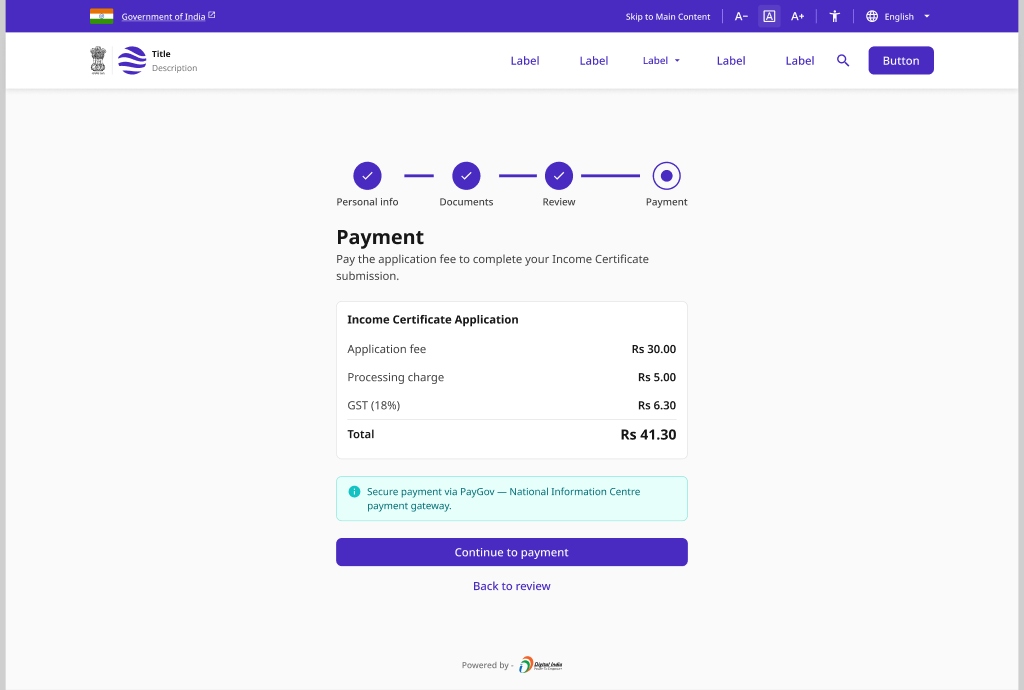
Overview
Pattern Overview
Purpose
Let citizens pay government service fees with confidence - a transparent breakdown, trusted payment rails, and a receipt they can always retrieve.
- Show a clear fee breakdown before any payment
- Support UPI, BharatPay, net banking, cards and the government gateway
- Handle failures and timeouts with a safe retry path
- Confirm every payment with a receipt and ARN
When to Use
- A service charges a statutory or processing fee
- Payment is a required step within an application journey
- Citizens must receive a receipt or ARN for their records
- Fee waiver or exemption applies to eligible categories
When NOT to Use
- A free service with no fee at any stage
- Only capturing an application (use Application & Submission)
- Only reporting status after payment (use Status & Tracking)
Primary User Goals
- Understand exactly what I am paying and why
- Pay with a method I already trust (UPI / BharatPay)
- Recover safely if a payment fails or times out
- Know if I qualify for a fee waiver or exemption
- Get a receipt and ARN I can download and track later
Accessibility
Accessibility Requirements
Every screen in this group is built to meet WCAG 2.1 Level AA — keyboard operable, screen-reader friendly, and resilient for low-bandwidth and assistive-tech users.
Fee Summary and Amounts
- Fee line items presented as a semantic table or definition list
- Total amount announced clearly, not conveyed by size or color alone
- Currency spoken in full ("one thousand eight hundred rupees")
- Amount and ARN are selectable, copyable text - never images
Payment Method Selection
- Methods are a keyboard-navigable radio group with visible focus
- Each method has an accessible name (UPI, BharatPay, net banking, card)
- Recommended / government-gateway option flagged by text, not color
- Selected method exposed via aria-checked to assistive tech
Processing and Failure
- Processing state announced via aria-live="polite" without stealing focus
- "Do not close this window" warning conveyed as text and icon
- Failure reason and retry action described in words, not color alone
- Retry and "try another method" reachable and operable by keyboard
Receipt, Waiver and Confirmation
- Success confirmed by text ("Payment successful"), not color or icon alone
- Receipt download link has a descriptive name and file-type hint
- Fee-waiver eligibility and next step stated as plain readable text
- ARN presented as selectable text with a labelled copy-to-clipboard control