


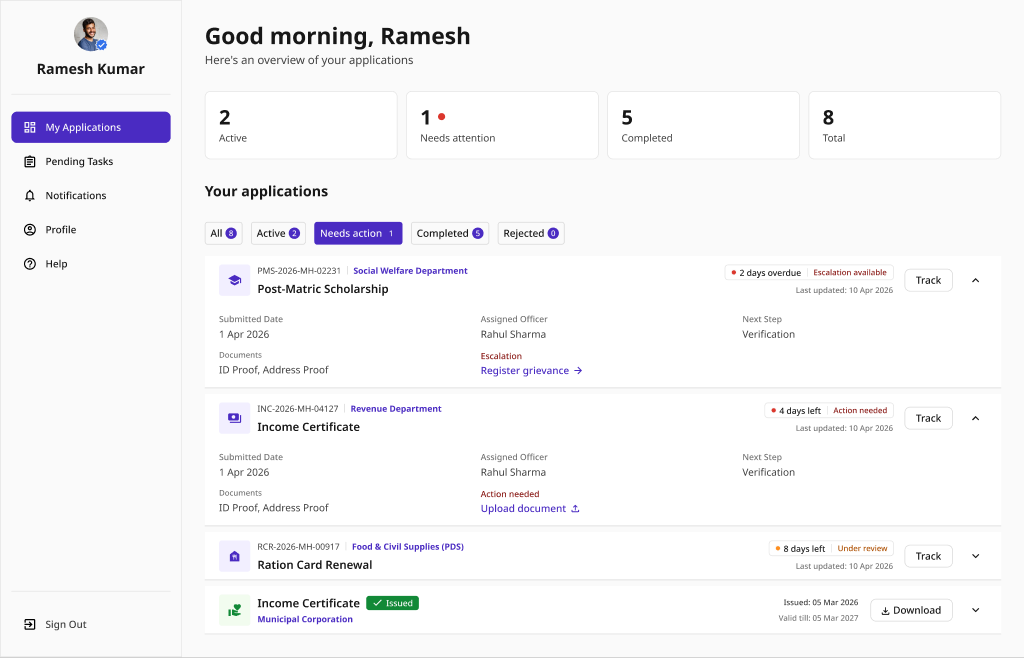
My Applications
A consolidated list of every application a citizen has submitted, with status badges, search, and bulk actions. Includes an empty state for first-time users.
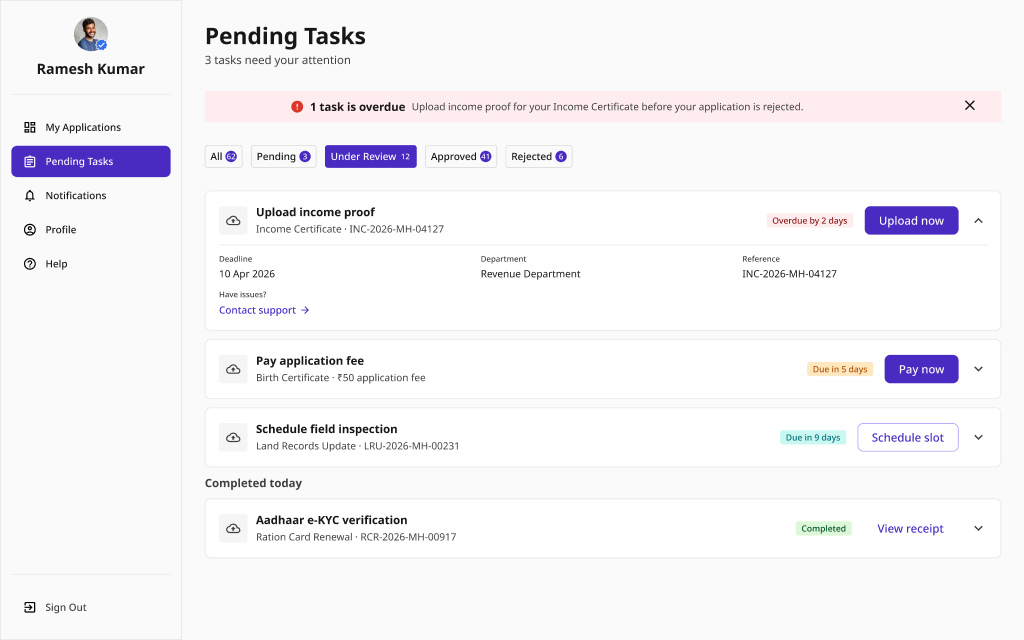
Pending Tasks
A priority-ordered list of actions the citizen must still complete, with due dates and direct action buttons. Shows an all-clear empty state when nothing is pending.
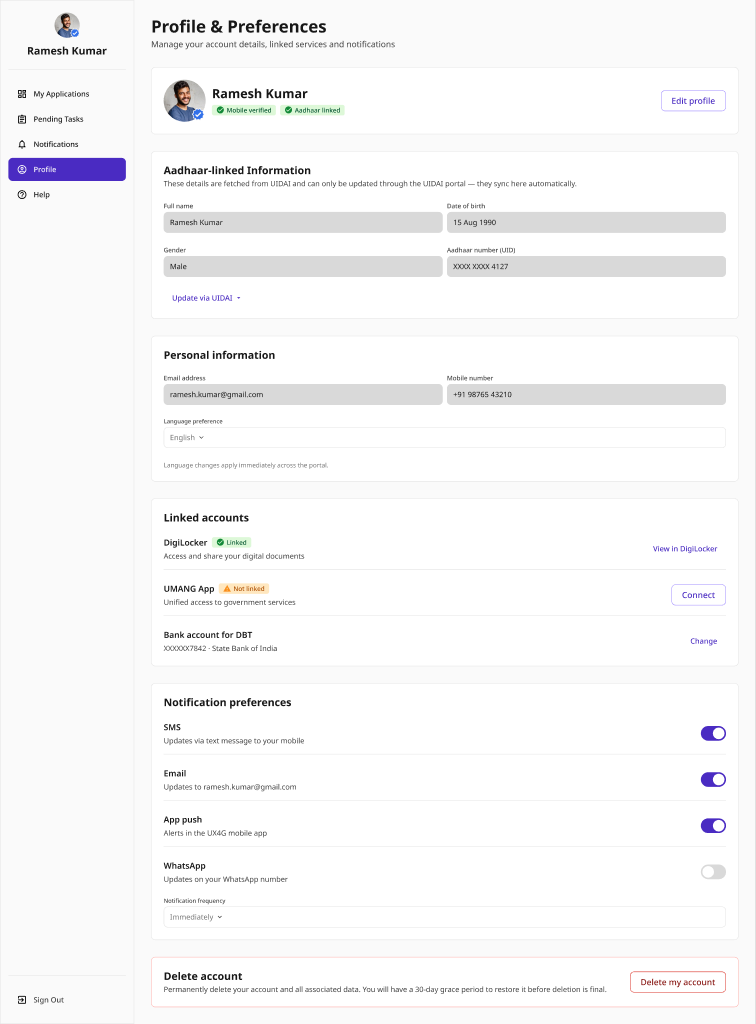
Citizen Profile
A profile page for viewing and editing personal details, with an account-deletion flow guarded by a confirmation dialog.
Pattern Overview
Purpose
Give citizens a single, personalized place to track every service interaction - their applications, the actions they still owe, and their profile.
- Surface all submitted applications and their status in one list
- Prioritize pending actions so nothing important is missed
- Let citizens search, filter, and act on records in bulk
- Manage personal details and account lifecycle safely
When to Use
- A citizen has an account and multiple service interactions
- Applications span sessions and need status at a glance
- Required actions and deadlines must be surfaced proactively
- Users need self-service control over their profile and account
When NOT to Use
- A single anonymous, one-off transaction (no account)
- A live application flow (use Application & Submission)
- Status of a single application only (use Status & Tracking)
Primary User Goals
- See all my applications and where each one stands
- Know what I still need to do, and by when
- Quickly find a specific application
- Act on several records at once
- Update my details or close my account with confidence
Accessibility Requirements
Every screen in this group is built to meet WCAG 2.1 Level AA — keyboard operable, screen-reader friendly, and resilient for low-bandwidth and assistive-tech users.
Lists and Tables
- Applications table uses proper <table> markup with header cells
- Status badges convey meaning by text, not color alone
- Sort and filter controls have accessible names and states
- Row count and filtered results announced via aria-live
Search and Bulk Actions
- Search input has a visible label and clear-search control
- Empty search results explained in text with a way to reset
- Bulk-select checkboxes have per-row and select-all labels
- Selection count announced ("3 selected") to screen readers
Pending Tasks
- Task priority conveyed by text and icon, not color alone
- Due dates given in a full, unambiguous format
- Each task's primary action reachable and operable by keyboard
- The all-clear empty state is confirmed by descriptive text
Profile and Account Deletion
- Every profile field has a visible <label> with for/id association
- Edit and cancel move focus predictably and preserve context
- Delete-account dialog is a focus-trapped modal with Escape to cancel
- Destructive action requires explicit confirmation, not color alone